Fire TV home screen
An ad-free home screen for four Fire TV sticks that also runs the house, including a vacuum that no smart home hub supports.
The problem
The standard Fire TV home screen is full of adverts and clutter, and it knows nothing about the rest of the house. I wanted one quiet screen per room that opens my apps and controls the lights, curtains, air conditioning, TVs and vacuum from the remote.
What I built
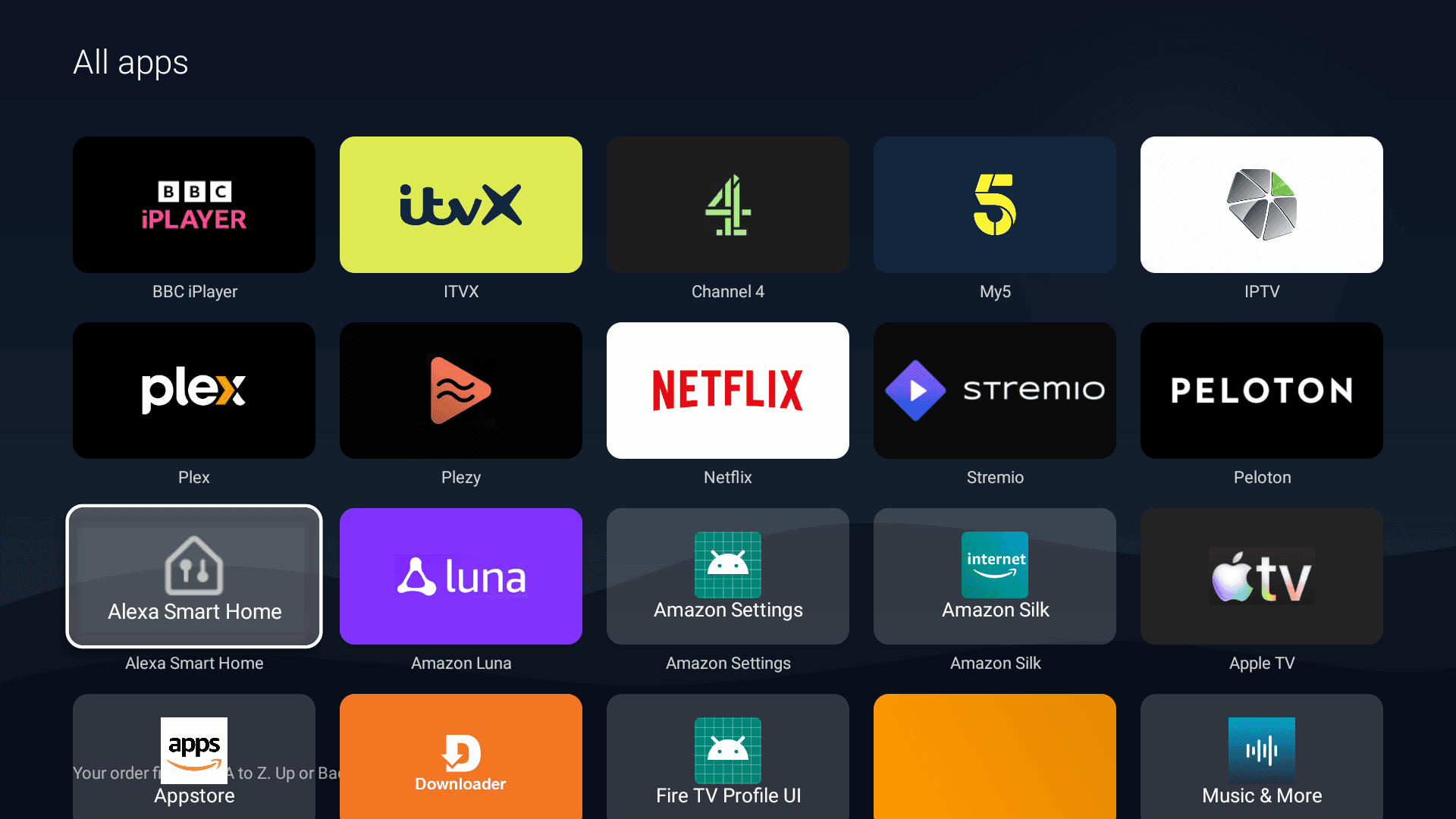
A custom Android launcher written in Kotlin, installed over Wi-Fi onto four Fire TV sticks. The Home button always returns to it.
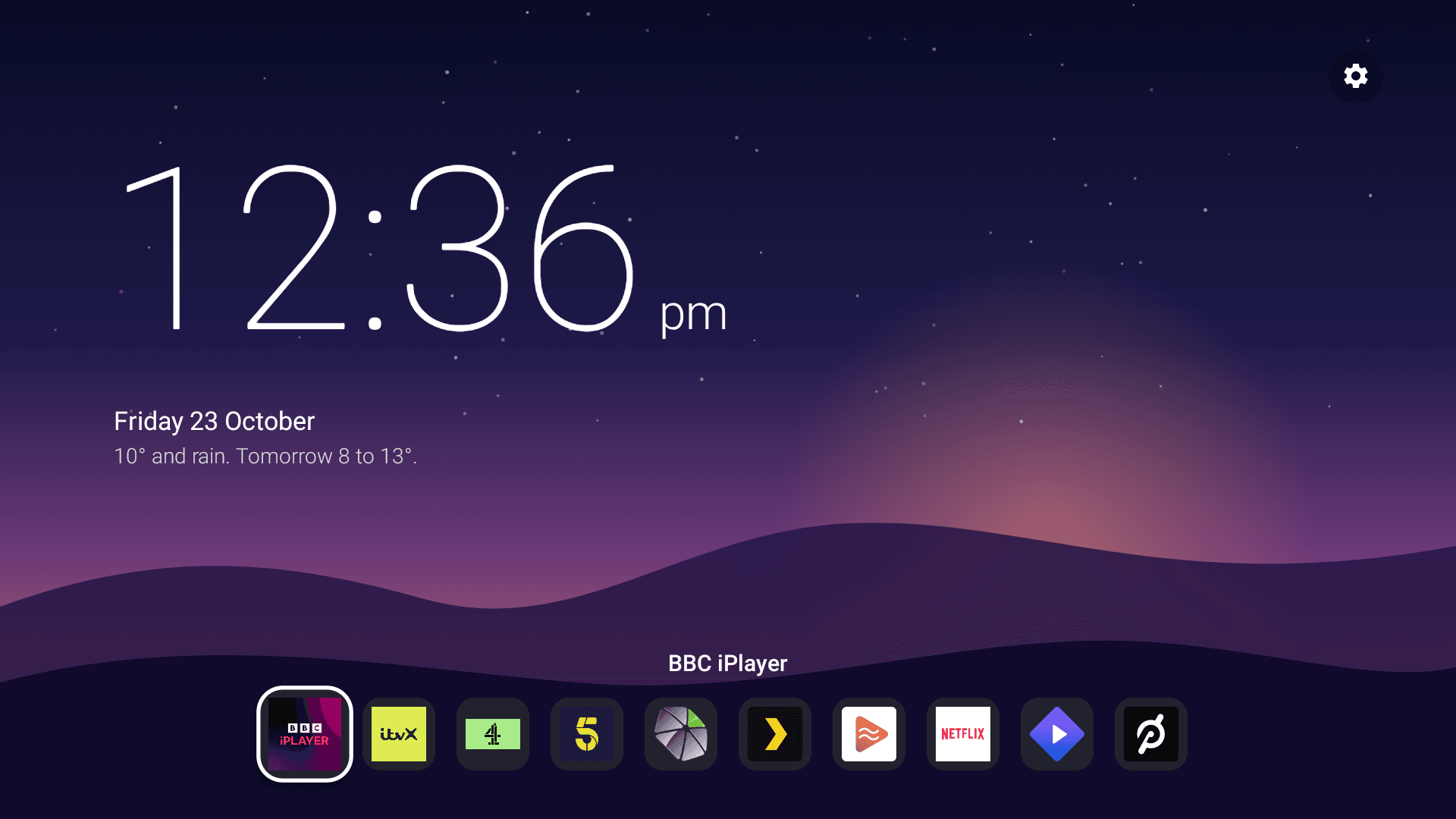
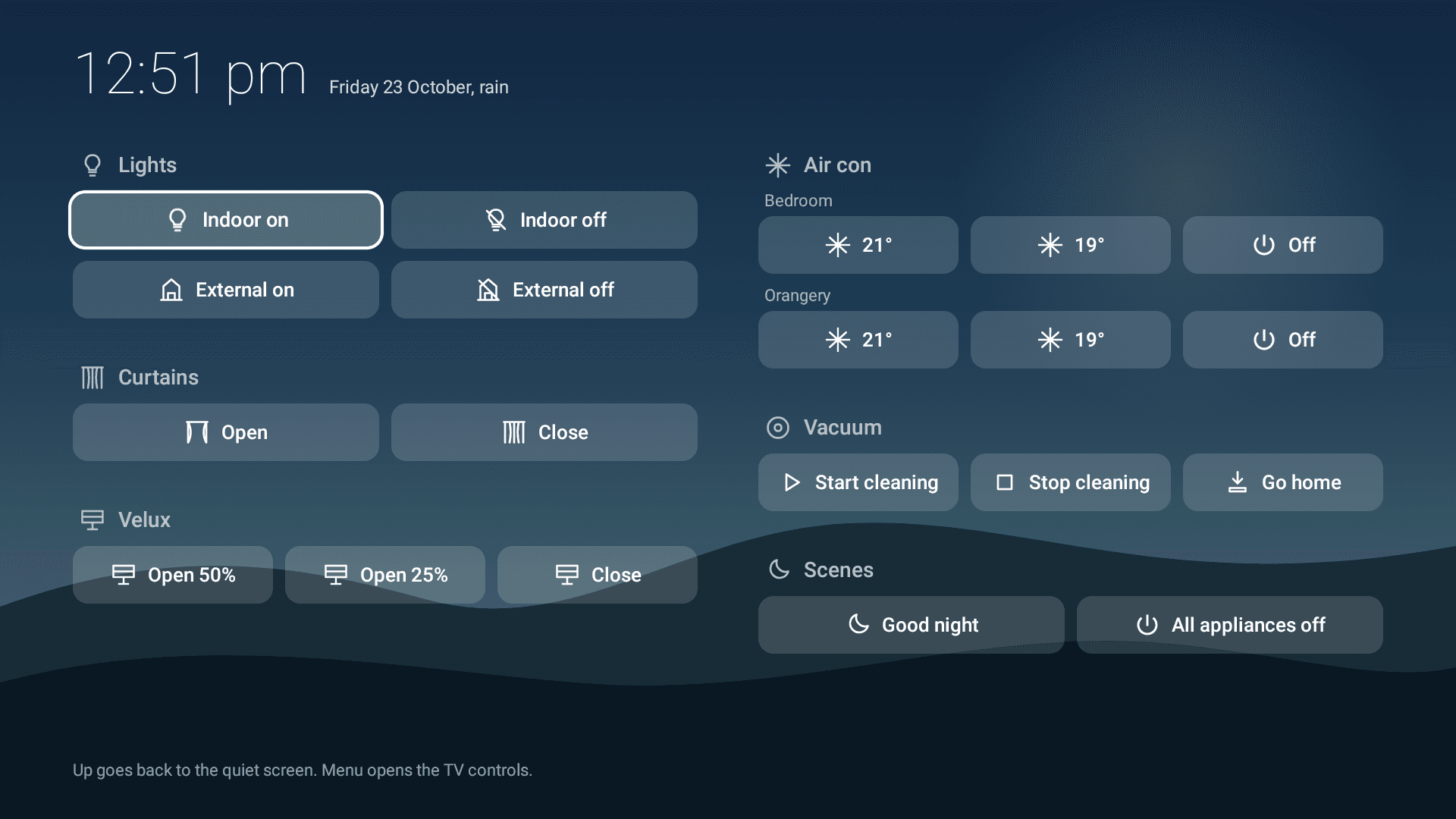
A rest screen with a drawn scene for the time of day, a thin clock, a one-line weather sentence and a dock of apps. Pressing down opens a House screen with every control in one place.
Direct control of the LG TVs over the network, for switching input or turning off. Thirty-one Amazon packages are disabled, never uninstalled, and each stage can be reversed with one command.
Scripts for every task that touches a stick: deploy to a room, push a config change, take an inventory, and restore to a saved working state.
How the vacuum button works
- LauncherRemote press on the House screen
- Homey ProTriggers a named flow over the local API
- Home AssistantIn Docker, bridged into Homey
- Vacuum integrationCommunity integration, eufy cloud
- VacuumStarts, stops or returns to dock
How AI was used
Research before building
Other people have built Fire TV launchers and TV interfaces. I started by asking the AI to run deep research across open-source projects for TVs and Fire sticks, and to write up what they do as a document of requirements.
Interviewed by the AI
Rather than writing a specification myself, I asked the AI to turn that research into twenty multiple-choice questions for me. My answers decided which requirements stayed, and became a detailed, approved build plan with a rollback for every step.
A design skill, used heavily
Much of the time went on the interface. I used the front-end design skill to review the first design and mock up options. When those felt too close to what I already had, I asked for something more radical: deep research of other launchers, then five more mockups. I kept a design record of every option and why I chose one. The result looks nothing like an engineer's first attempt.
Documentation as a deliverable
The project has an architecture guide, runbook, troubleshooting guide, decision log and restore points. When something breaks six months from now, the answer is written down.
What I think is clever
- The launcher knows nothing about specific devices. It triggers named flows in Homey Pro through its local API, so a device can be swapped without touching the launcher.
- The vacuum has no native Homey support and no Matter or HomeKit support. I ran Home Assistant in a Docker container, used a community integration to talk to the vacuum, and bridged it into Homey as a proper two-way device. The vacuum button on the House screen now starts, stops and docks it.
- Safety by design: every step has a rollback, risky changes were piloted on one room first, and the AI was told never to change a home automation flow without asking.
- One stick is the master image. I perfected a single stick, then asked for every other room to be configured identically: the same debloat, the same apps, and anything extra removed. A restore point was saved before each radical redesign, so I could always go back.
- It scales. A fourth stick for the kitchen was added later by giving the AI its address and asking it to set it up. It was working within minutes.
What I learned
- Confirm the exact model number before researching compatibility. One digit changed the options.
- Prefer two-way integrations. A one-way trigger looks fine until you want to react to the job finishing.
- Vendor support pages beat retailer listings for compatibility claims.
- The chain depends on a PC that must stay on. A small always-on machine would be a sturdier host.