Pension Planner
A retirement planner that answers one question, ‘will our money last’, with a report built by plain code and no AI call.
The problem
I wanted to develop a deep understanding of my financial situation and my readiness for retirement, to help me understand the scenarios available to me and take proactive action on my finances.
What I built
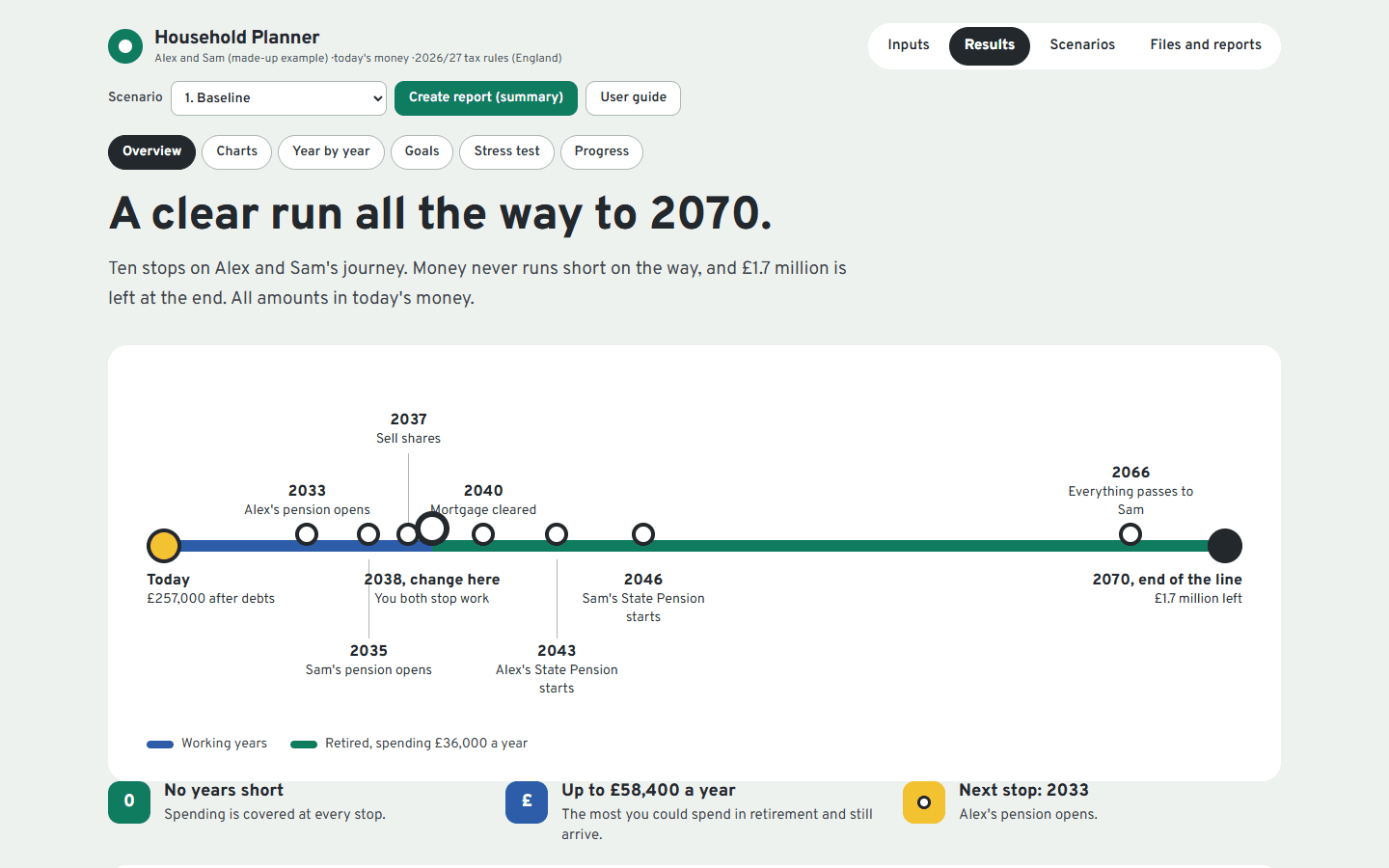
A planner that projects finances in today's money, draws the plan as a journey on a transit line, and marks any year that runs short.
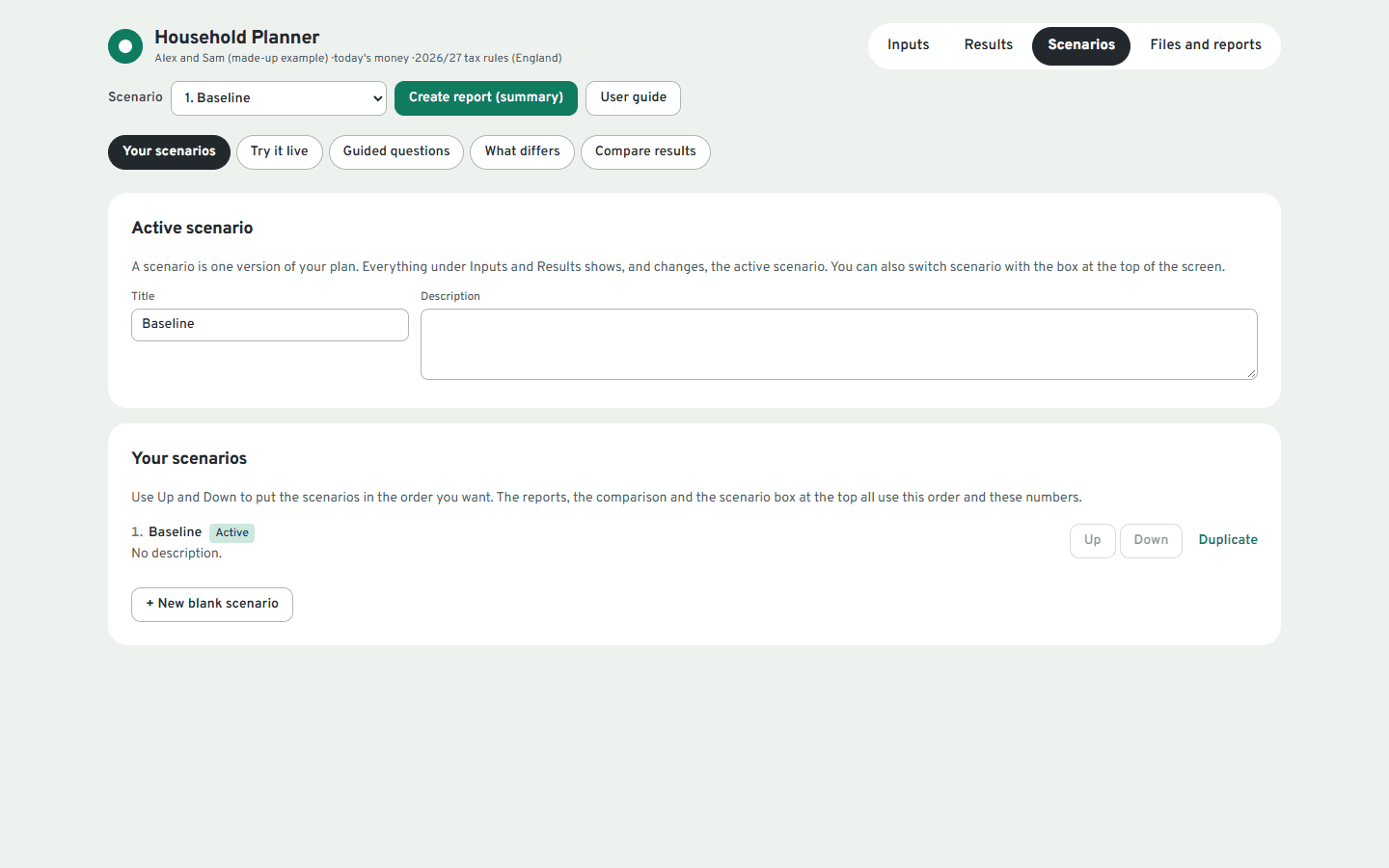
A stress test that runs many seeded market paths in a background worker and gives the chance the plan holds up. Goal tools find the spending a target allows, or the extra saving it needs. Live dials and guided questions let you try changes, and check-ins compare real balances with a saved forecast.
It runs entirely on your own computer and sends nothing anywhere. The same code is packaged as an Android app.
See a report
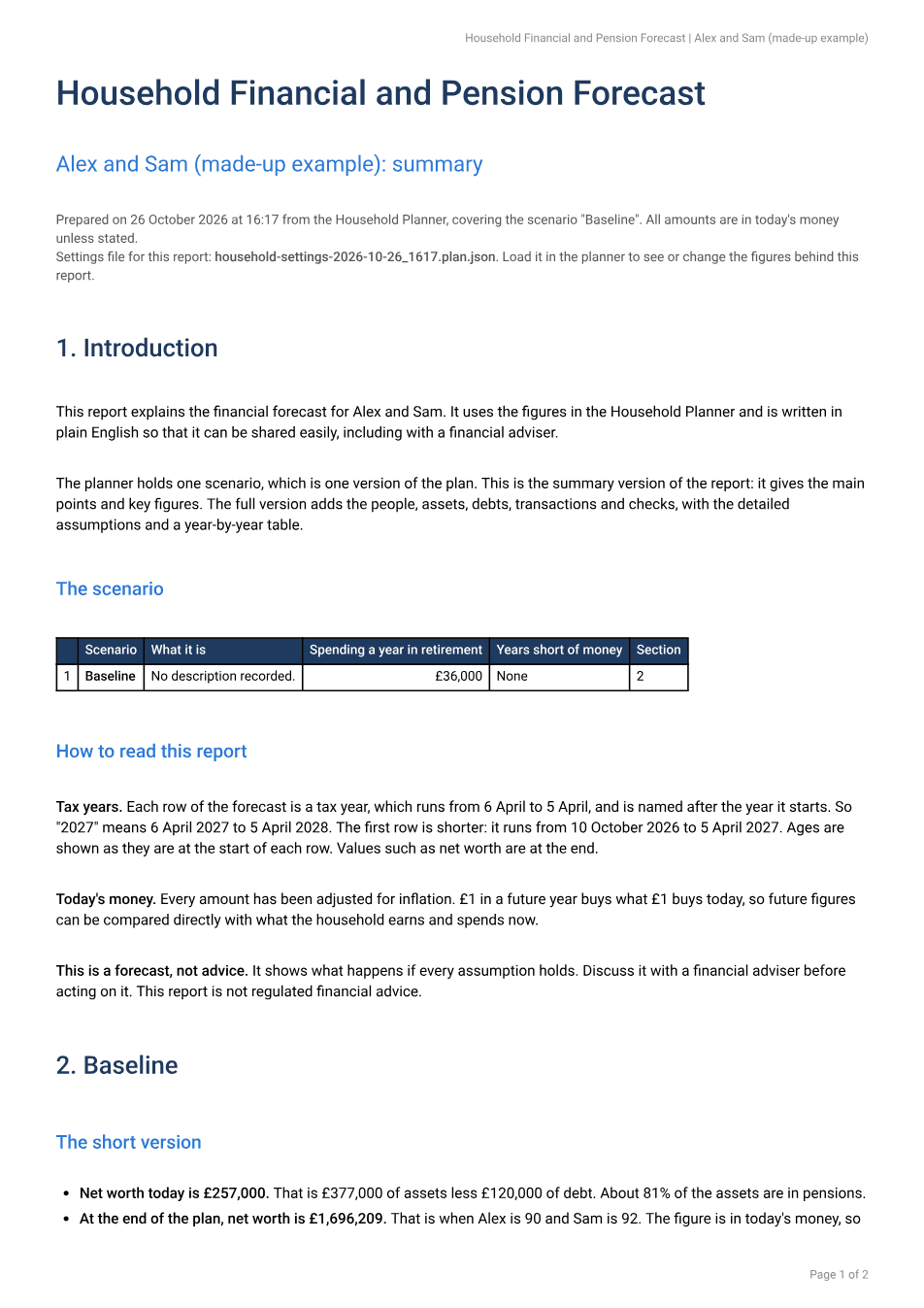
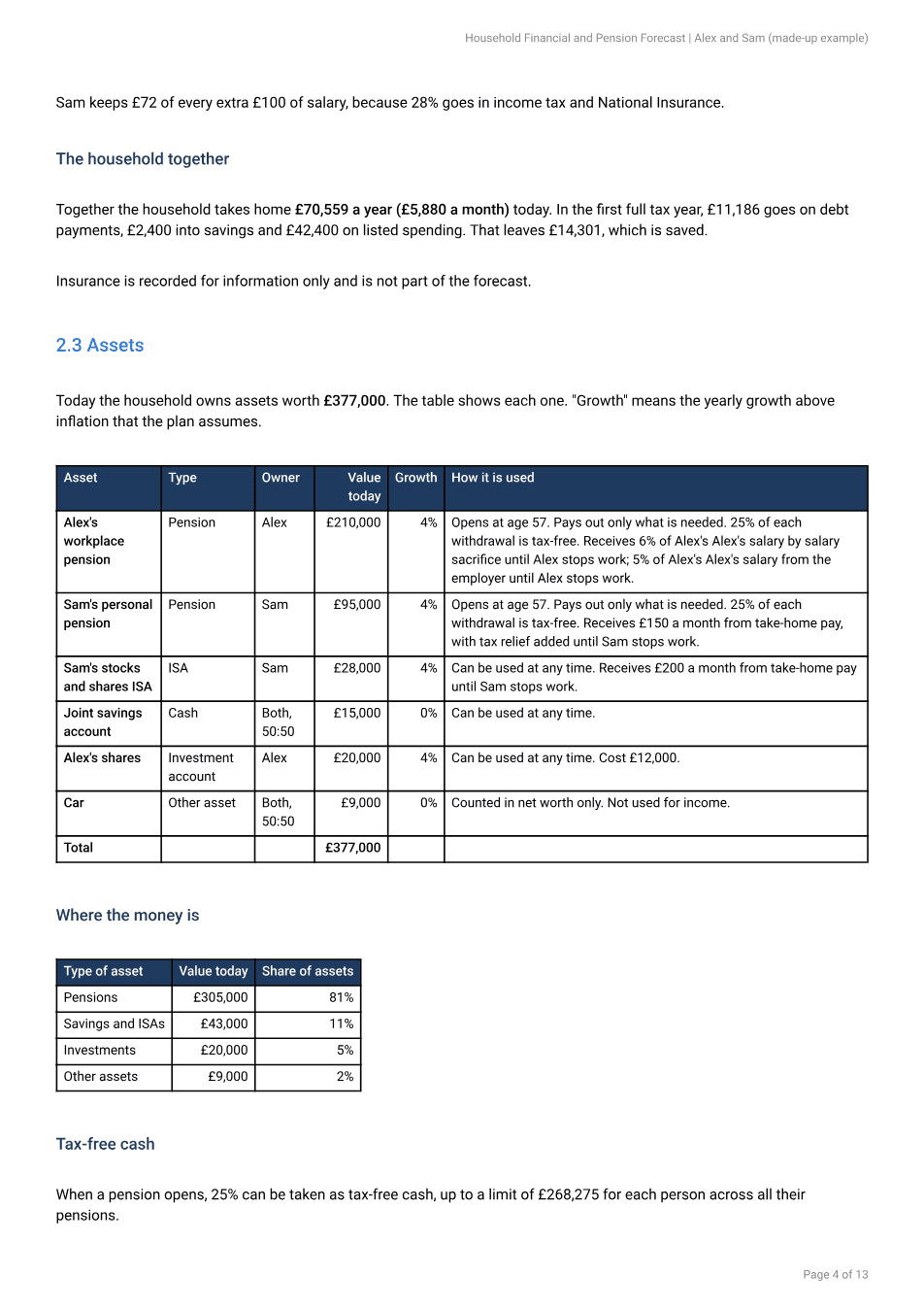
The app writes these itself, using plain code. The household is made up.
How AI was used
A report with no AI in it
Summary and full reports are generated by ordinary code: HTML built from the plan, converted to PDF in the browser. There is no API call, no cost per report and no variation. Claude helped me write that code, but it is not in the loop when the report is made.
Start from a repository and my own spreadsheet
I began with an open-source retirement planner as inspiration and asked for it to be tailored to the UK: pension ages, state entitlements and the tax bands. All of its code was later replaced and it is credited. I also had the assistant analyse the Excel model I had built, to pull out requirements before any code was written. It produced a plan and a staged build, and wrote a CLAUDE.md summarising what it had learned before the build started.
Standing rules saved to memory
I told the assistant to remember a few rules: whenever the code changes, update both the web and Android versions, and always keep the README current. Rules like these stop the same instruction being repeated in every session.
Learning from a competitor
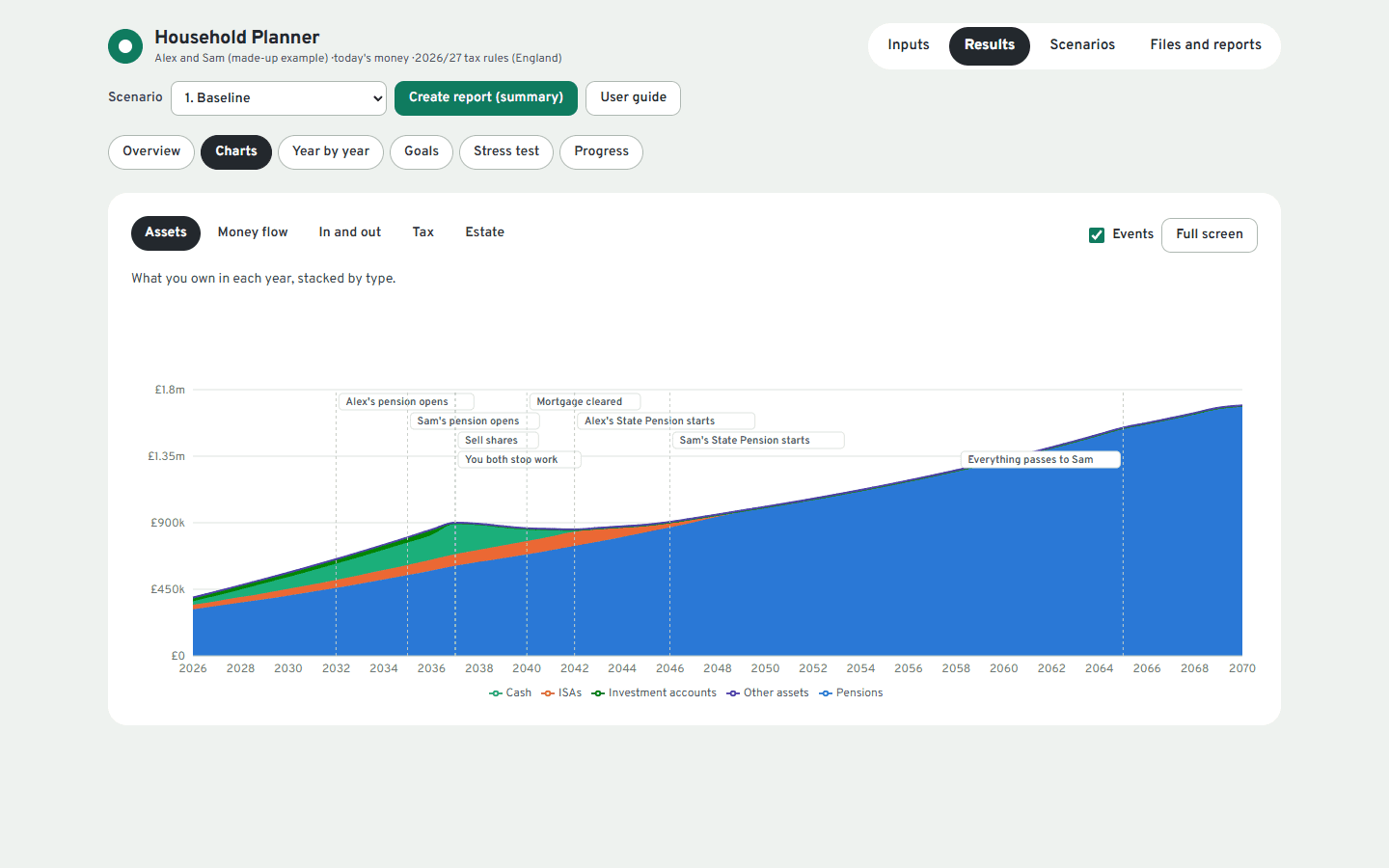
I had the assistant review a competing UK retirement app through a browser, using only its demo. It found ideas to borrow, such as a one-sentence verdict, life events flagged on charts and a money-flow chart, and gaps in mine, such as a stress test and a goal finder. Those became features.
Checks at several levels
Tax figures were checked against gov.uk. A suite of 154 automated tests enforces that money in equals money out every year and that results repeat exactly. Every screen was clicked through in a browser at phone width. Finally, I gave a report the app had produced to a separate Claude and asked for a comprehensive review of whether it stood up to scrutiny. Assuming the inputs were right, were the figures right, and was the logic in the app correct? I was using the report to debug the app.
Review, then a fix brief
The reviewer rebuilt the report's figures independently from the inputs. The core arithmetic, covering tax, National Insurance, pension growth and the mortgage, reconciled to within a few pounds. The problems were in the logic and the wording. A pension set to pay a fixed percentage was never topped up, so the report said the money would not last while large pension pots sat untouched. There was no way to draw pension income tax-efficiently across two people, and a pension was not handled correctly after its owner died. I then asked the reviewer to write the fix as a prompt I could hand to a fresh session.
A fix brief that works like a specification
The brief asks for a short plan and approval before any code. Every new behaviour must be opt-in, so an old settings file gives exactly the same results as before. Each fix has acceptance figures to hit, a set of regression figures must still match, and the report's debugging appendix must be updated to describe the new logic exactly.
Front-end design and data visualisation skills
I spent considerable time on the interface, because a planner people trust has to look and feel clear.
What I think is clever
- Deterministic by design. Given the same inputs and seed, the same answer comes out. That makes it testable and explainable.
- One codebase for web and phone, with no forked screens or logic.
- A debugging appendix in every report that lays out the logic and figures so the results can be checked by hand, which is also what made an independent review possible.
- Honest limits. Figures that could not be verified from official sources are flagged, and assumptions are listed for the user to check.
- Honest wording. A plan that uses almost everything is described as planned spend-down with no safety margin, not as being in good shape.
- Old plan files keep working. Saved plans carry a version and migrate forward, so improving the engine never strands earlier work.
What I learned
- Using AI to build the logic, then running plain rules at runtime, gives results you can test and explain.
- A fresh AI given the finished report and a critical brief finds what tests do not. Reviewing the output, not the code, caught logic and wording problems that the author and the tests had missed.
- Ask the reviewer to write the next prompt. A fix brief with opt-in changes, acceptance figures and regression tests turns a list of findings into safe work.
- Say exactly what was used. One AI assistant built it, using a browser, web research and tests. A second AI, in a separate session with no memory of the build, reviewed a report the app had produced.
A modelling tool, not financial advice. The example here is fictional.